Profil
Auf der Profilseite verwalten Sie Ihre persönlichen Daten, sichern Ihr Konto und löschen bei Bedarf Ihre Daten oder Ihr Konto. Sie ist in drei Bereiche gegliedert: Profildetails, Sicherheit und einen Gefahrenbereich.
Profildetails
Dieser Abschnitt zeigt Ihre Kontoinformationen: Ihr Profilfoto, Ihren Namen, Ihre E-Mail-Adresse und Ihre Newsletter-Einstellung.
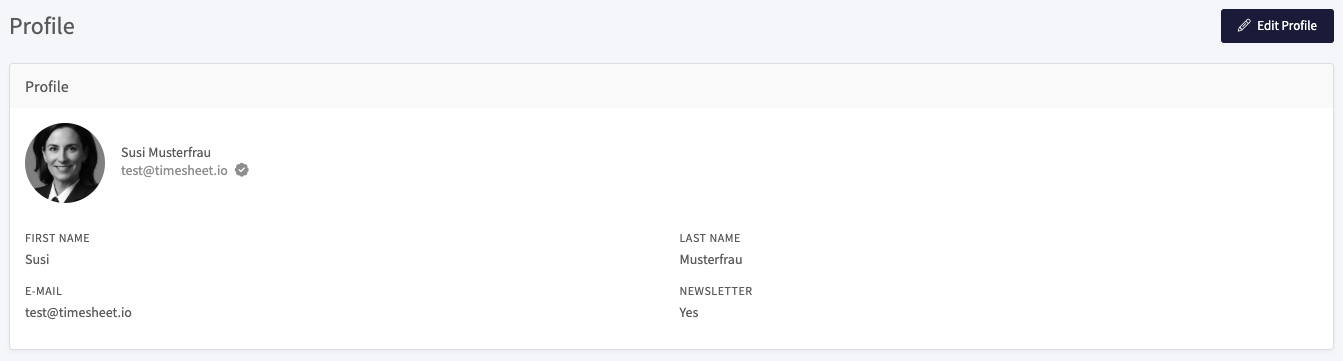
Die angezeigten Felder sind:
- Vorname und Nachname: Ihr Anzeigename.
- E-Mail: die mit Ihrem Konto verknüpfte E-Mail-Adresse. Ein Häkchen neben der Adresse bedeutet, dass sie verifiziert ist.
- Newsletter: ob Sie den Newsletter abonniert haben.
So ändern Sie diese Angaben:
- Wählen Sie oben rechts Profil bearbeiten.
- Aktualisieren Sie Ihr Foto, Ihren Namen, Ihre E-Mail oder Ihre Newsletter-Einstellung.
- Speichern Sie Ihre Änderungen.
Sicherheit
Im Sicherheitsbereich ändern Sie Ihr Passwort und aktivieren die Zwei-Faktor-Authentifizierung.

- Passwort ändern: Wählen Sie dies, um ein neues Passwort festzulegen.
- Zwei-Faktor-Authentifizierung aktivieren: Wählen Sie dies, um bei der Anmeldung einen zweiten Verifizierungsschritt hinzuzufügen. Bei aktivierter Zwei-Faktor-Authentifizierung bestätigen Sie Ihre Identität zusätzlich zu Ihrem Passwort mit einem zweiten Faktor, wodurch Ihr Konto schwerer zugänglich ist, falls Ihr Passwort offengelegt wird.
Zwei-Faktor-Authentifizierung
Die Zwei-Faktor-Authentifizierung (2FA) fügt bei der Anmeldung einen zweiten Verifizierungsschritt hinzu. Nach Ihrem Passwort geben Sie zusätzlich einen kurzen Code aus einer Authenticator-App ein, sodass Ihr Konto geschützt bleibt, selbst wenn Ihr Passwort offengelegt wird.
Aktivieren
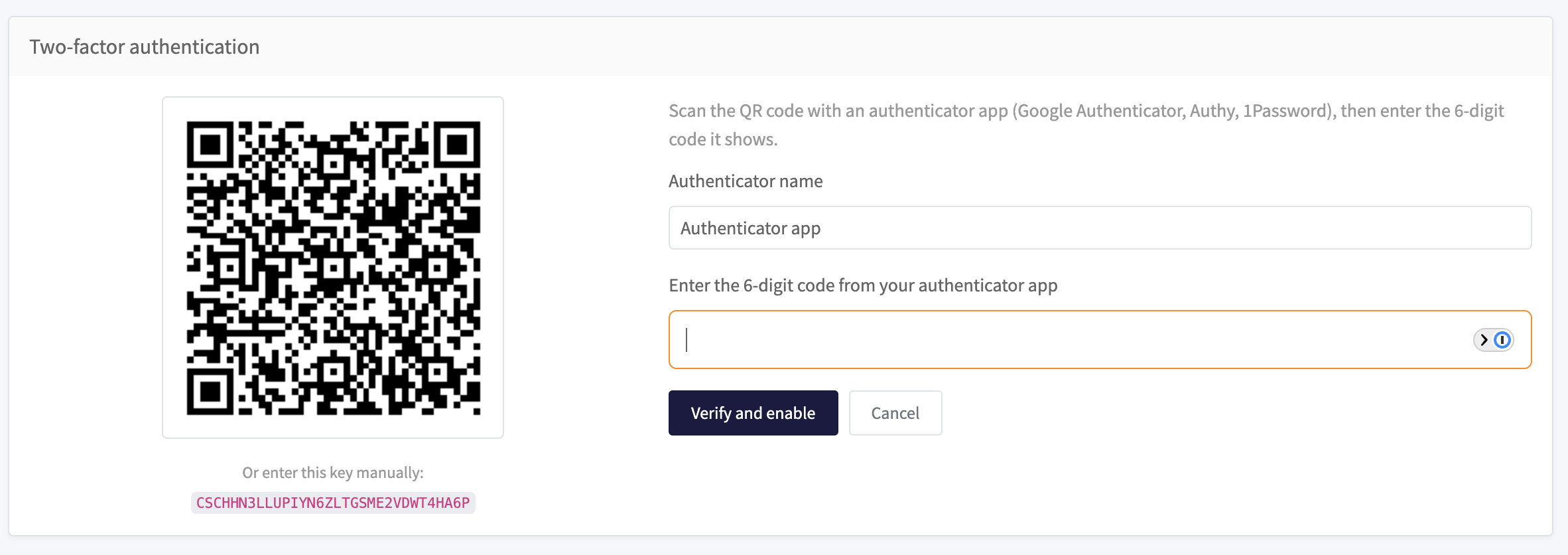
- Wählen Sie im Sicherheitsbereich Zwei-Faktor-Authentifizierung aktivieren.
- Scannen Sie den QR-Code mit einer Authenticator-App (etwa Google Authenticator, Authy oder 1Password). Falls Sie ihn nicht scannen können, geben Sie den unter dem Code angezeigten Schlüssel manuell ein.
- Geben Sie dem Authenticator einen Namen, geben Sie den angezeigten 6-stelligen Code ein und wählen Sie Verifizieren und aktivieren.
Wiederherstellungscodes speichern
Nachdem Sie die Zwei-Faktor-Authentifizierung aktiviert haben, zeigt Timesheet eine Reihe von einmaligen Wiederherstellungscodes an. Mit jedem Code können Sie sich einmal anmelden, falls Sie den Zugang zu Ihrer Authenticator-App verlieren.
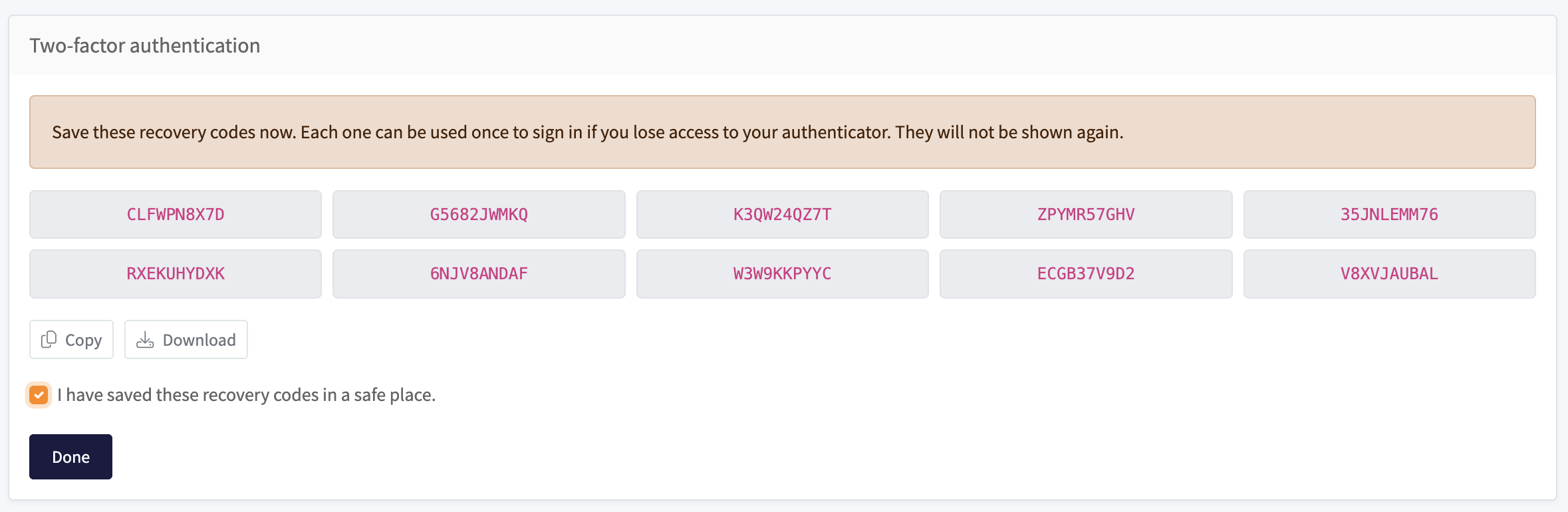
Wählen Sie Kopieren oder Herunterladen, um sie an einem sicheren Ort zu speichern, setzen Sie das Häkchen bei Ich habe diese Wiederherstellungscodes an einem sicheren Ort gespeichert und wählen Sie Fertig. Die Codes werden nur einmal angezeigt.
Verwalten oder deaktivieren
Sobald die Zwei-Faktor-Authentifizierung aktiviert ist, zeigt der Sicherheitsbereich den registrierten Authenticator und den Zeitpunkt seiner Hinzufügung an.

- Wiederherstellungscodes neu generieren: erstellt eine neue Reihe von Codes. Die vorherige Reihe funktioniert dann nicht mehr.
- Deaktivieren: schaltet die Zwei-Faktor-Authentifizierung aus. Sie benötigen dann nur noch Ihr Passwort zur Anmeldung.
Anmeldung mit Zwei-Faktor-Authentifizierung
Nachdem Sie Ihr Passwort eingegeben haben, fragt Timesheet nach dem 6-stelligen Code aus Ihrer Authenticator-App.
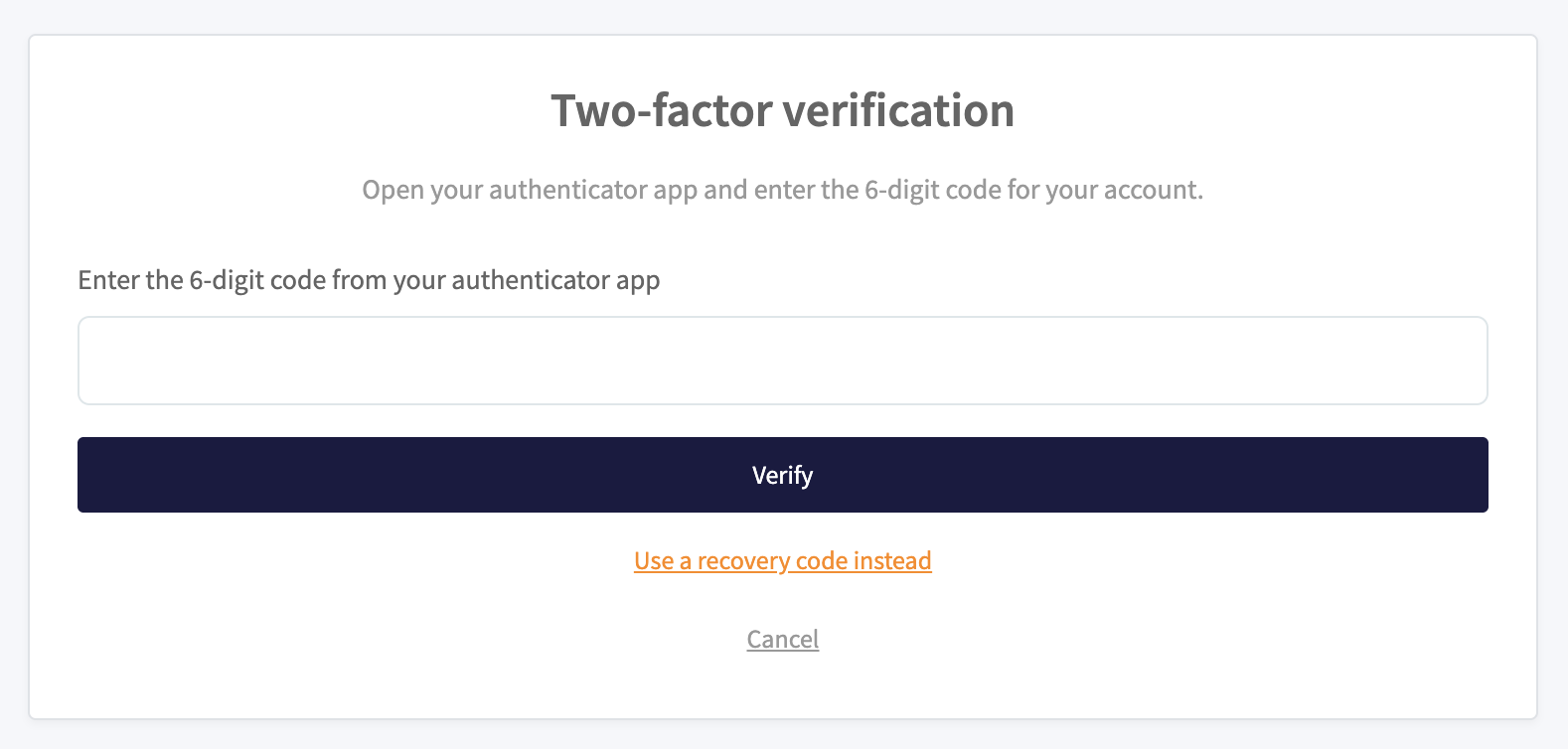
Falls Sie Ihre Authenticator-App nicht zur Hand haben, wählen Sie Stattdessen einen Wiederherstellungscode verwenden und geben Sie einen der gespeicherten Codes ein.
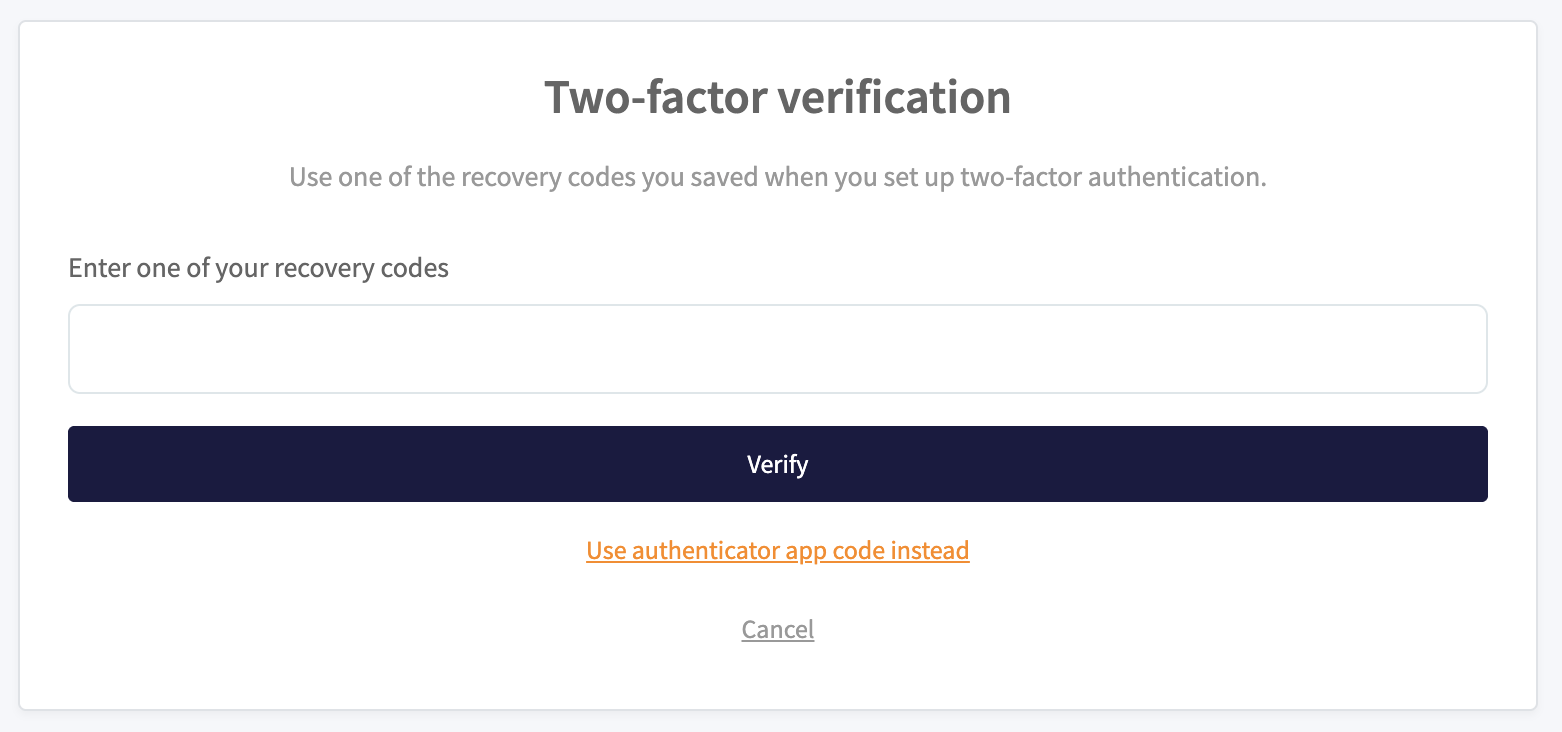
Wenn Sie sowohl Ihre Authenticator-App als auch Ihre Wiederherstellungscodes verlieren, können Sie aus Ihrem Konto ausgesperrt werden. Bewahren Sie Ihre Wiederherstellungscodes an einem sicheren Ort auf.
KI-Assistent und Kanäle
Chronis, der KI-Assistent, befindet sich in der rechten Seitenleiste des Dashboards. Sie können in natürlicher Sprache mit ihm chatten, um Zeit zu erfassen, Summen abzufragen und Berichte zu erstellen.
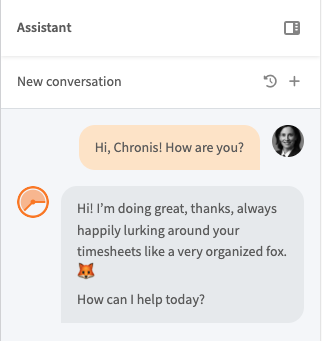
Im Abschnitt Kanäle Ihres Profils verbinden Sie Chronis mit externen Messaging-Apps und verwalten, was er für Sie erledigt. Er hat drei Tabs: Verbindungen, Chatverlauf und Erinnerungen.
Verbindungen
Verbinden Sie Telegram, um vom Smartphone aus mit Chronis zu chatten. WhatsApp, Discord, Slack und Facebook Messenger folgen in Kürze. Jeder verbundene Kanal zeigt den Kanaltyp, Ihre Kanal-Benutzer-ID und den Zeitpunkt der Verbindung an.
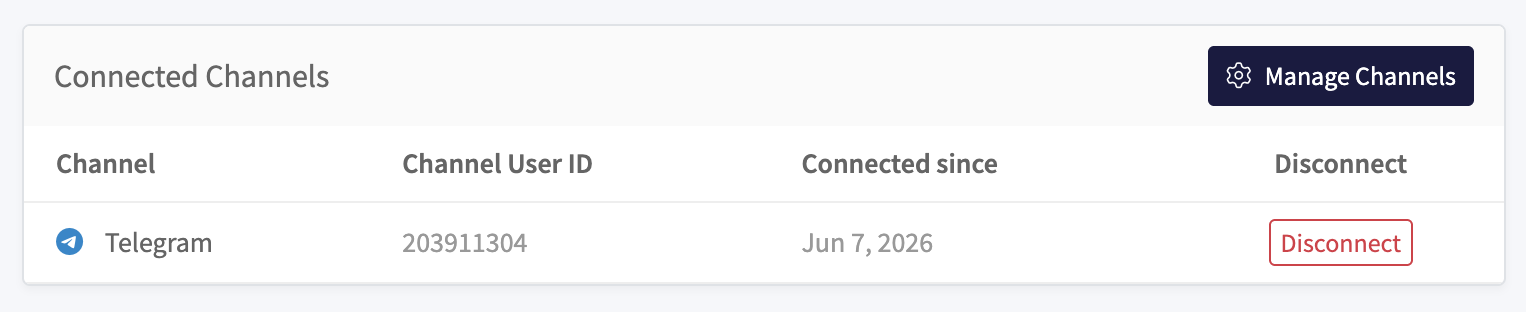
Wählen Sie Kanäle verwalten, um einen neuen Kanal zu verbinden, und Trennen, um einen zu entfernen.
Chatverlauf
Der Tab Chatverlauf listet Ihre vergangenen Unterhaltungen mit Chronis über alle Kanäle hinweg auf (Web-App und Telegram). Für jede Unterhaltung sehen Sie den Kanal, das Thema, die letzte Synchronisierung und die Anzahl der Nachrichten. Filtern Sie nach Kanal, um einen bestimmten Verlauf zu finden.
Erinnerungen
Mit Erinnerungen schreibt Ihnen Chronis nach einem Zeitplan, zum Beispiel um Sie daran zu erinnern, Ihren Timer zu starten oder Ihre Stunden zu erfassen. Jede Erinnerung zeigt ihren Titel, den Zeitplan, die nächste Ausführung und den Status an.
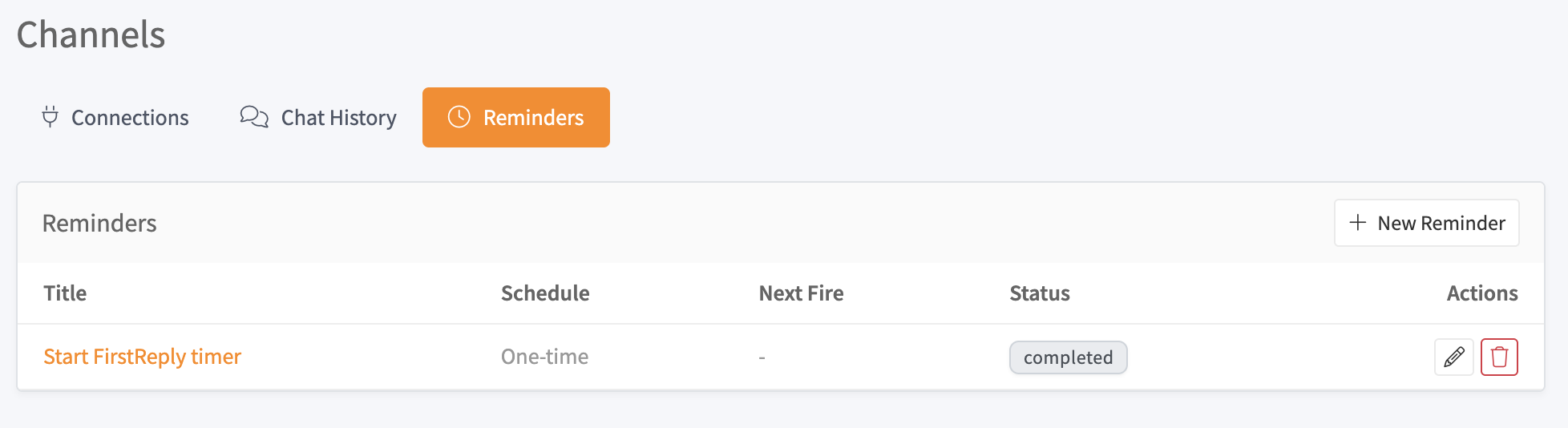
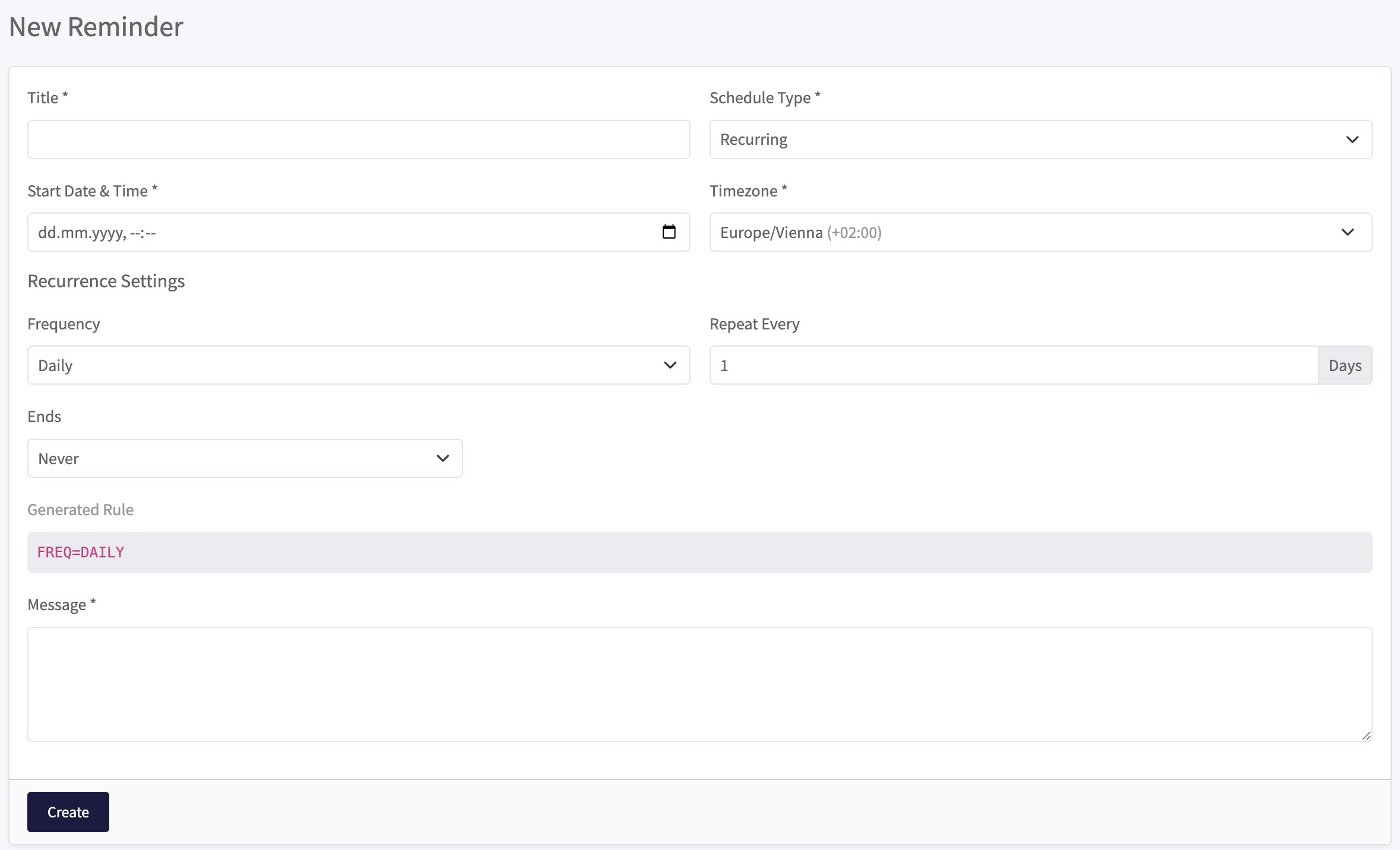
Um eine zu erstellen, wählen Sie Neue Erinnerung und füllen Sie das Formular aus:
- Titel und Nachricht: wie die Erinnerung heißt und der Text, den Chronis sendet.
- Zeitplantyp: eine einmalige oder eine wiederkehrende Erinnerung.
- Startdatum & Uhrzeit und Zeitzone: wann sie zum ersten Mal ausgeführt wird.
- Wiederholungseinstellungen: bei einer wiederkehrenden Erinnerung, wie oft sie sich wiederholt und wann sie endet.
Chronis ist in jedem Plan mit Web-Zugang enthalten (Pro, Business und Enterprise) sowie während Ihres Testzeitraums. Ein MCP-Server verbindet denselben Assistenten mit Claude und ChatGPT. Siehe die Anleitung zum MCP-Server.
Verbundene Geräte
Der Abschnitt Verbundene Geräte listet jedes bei Ihrem Konto angemeldete Gerät auf, etwa Ihr Smartphone und die Web-App, mit seinem aktuellen Synchronisierungsstatus.
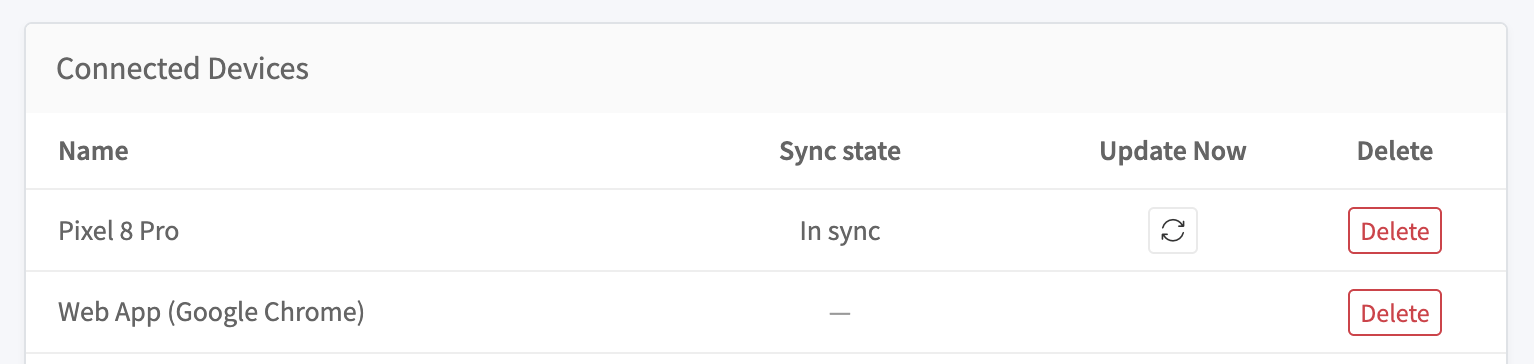
- Name: das Gerät, zum Beispiel „Pixel 8 Pro" oder „Web App (Google Chrome)".
- Synchronisierungsstatus: ob das Gerät auf dem aktuellen Stand ist, angezeigt als „Synchronisiert".
- Jetzt aktualisieren: überträgt die neuesten Daten auf dieses Gerät.
- Löschen: entfernt das Gerät aus Ihrem Konto. Es muss sich erneut anmelden, um sich wieder zu verbinden.
Gefahrenbereich
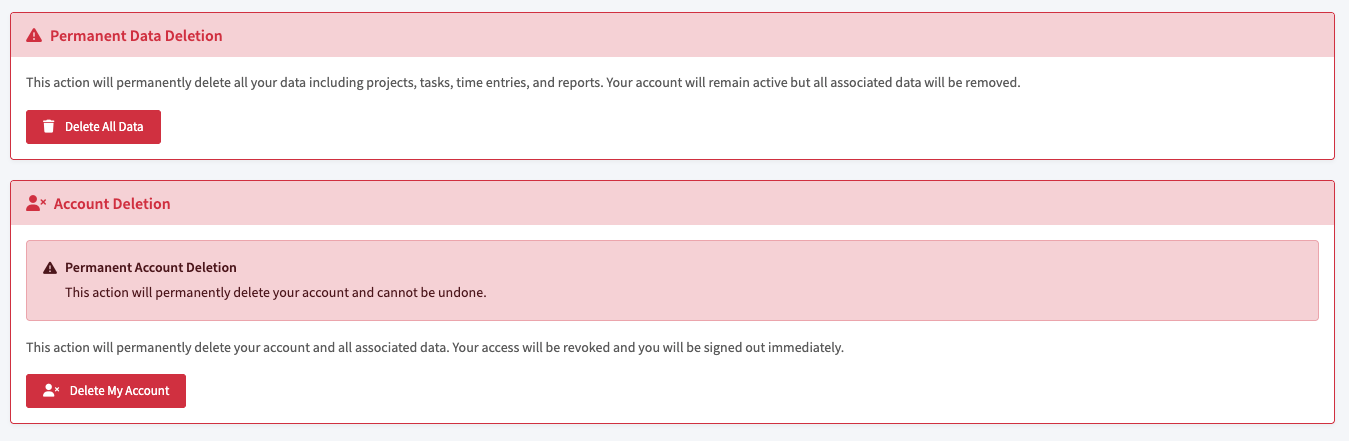
Dieser Bereich enthält zwei destruktive Aktionen: das Löschen aller Ihrer Daten und das Löschen Ihres Kontos. Beide sind endgültig.
Alle Daten löschen
Alle Daten löschen entfernt dauerhaft alle Ihre Daten, einschließlich Projekte, Aufgaben, Zeiteinträge und Berichte. Ihr Konto bleibt aktiv, aber alle zugehörigen Daten werden entfernt.
Das Löschen Ihrer Daten kann nicht rückgängig gemacht werden. Exportieren Sie alles, was Sie behalten möchten, bevor Sie fortfahren.
Konto löschen
Mein Konto löschen löscht dauerhaft Ihr Konto und alle zugehörigen Daten. Ihr Zugriff wird widerrufen und Sie werden sofort abgemeldet.
Das Löschen Ihres Kontos ist endgültig und kann nicht rückgängig gemacht werden. Exportieren Sie alles, was Sie behalten möchten, bevor Sie fortfahren.