Introduction
Welcome to Timesheet - your comprehensive time tracking solution for professionals, teams, and anyone who needs to track their work hours accurately.
What is Timesheet?
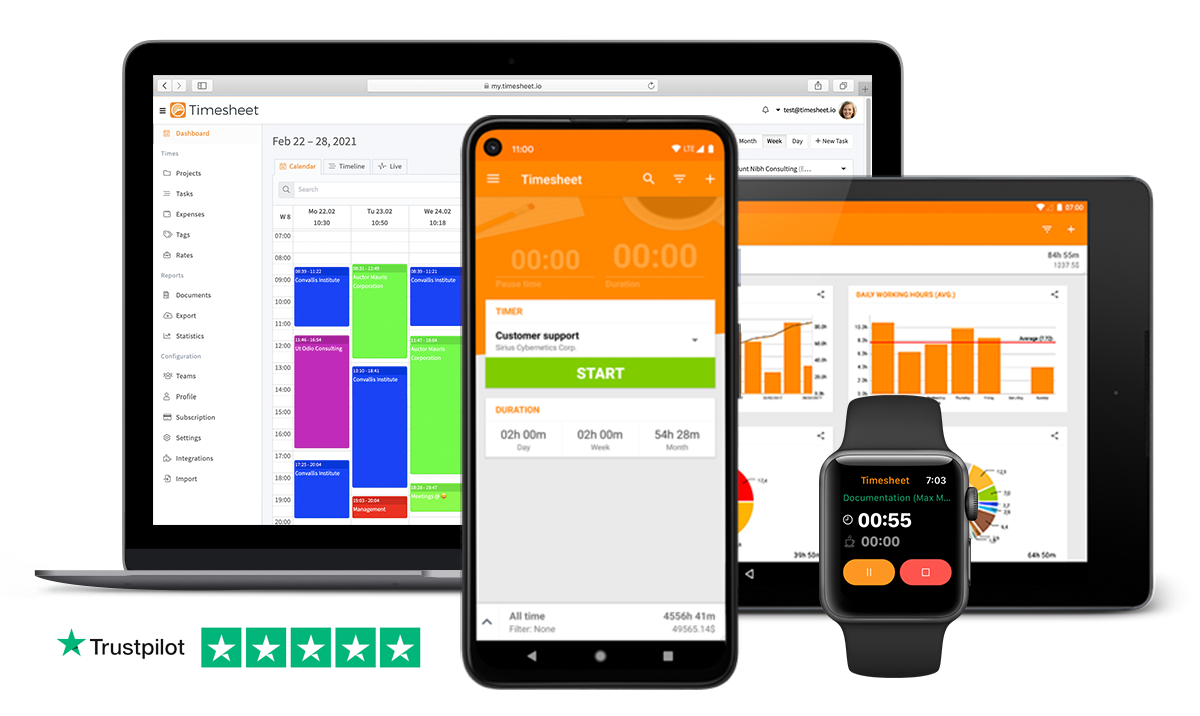
Timesheet is a powerful, cross-platform time tracking application that helps you monitor work hours, manage projects, track expenses, and generate detailed reports. Whether you're a freelancer billing clients by the hour, a team manager overseeing productivity, or a student tracking study time, Timesheet provides the tools you need to stay organized and productive.
Why Choose Timesheet?
Intuitive Time Tracking
- One-tap timer - Start tracking with a single button press
- Automatic breaks - Track work and pause time separately for accurate billable hours
- Manual entries - Add time entries for past work you forgot to track
- Multiple task types - Standard tasks, mileage tracking, and call logging
Powerful Project Management
- Unlimited projects - Organize work by client, employer, or activity
- Custom hourly rates - Set different rates for different projects or task types
- Tags and categories - Cross-project organization and analysis
- Team collaboration - Share projects with team members (Pro feature)
Intelligent Automation (All Plans)
- Geofence automation - Start/stop timer when entering/leaving work locations
- Wi-Fi automation - Trigger timer based on network connection
- NFC tag support - Tap your phone to physical tags for instant tracking
- Available in Basic, Plus, and Pro plans
Comprehensive Insights
- Visual statistics - Charts showing work patterns, project distribution, and productivity trends
- Daily averages - See which days you work most and balance your schedule
- Progress tracking - Monitor cumulative hours and earnings over time
- Export capabilities - Generate Excel/CSV reports for clients or accounting
Cross-Platform Synchronization
- Android app - Full-featured mobile experience with offline support (All plans)
- iOS app - Native mobile experience for Apple devices (All plans)
- Web application - Access your data from any browser at my.timesheet.io (Pro only)
- Real-time sync - Changes appear instantly across all your devices (Plus/Pro)
- Automatic backups - Local backups (Basic) or cloud backups (Plus/Pro)
Plans Overview
Basic (Free) Includes:
- Android and iOS Time Tracking Apps
- Unlimited time tracking
- Unlimited projects and tasks
- Breaks, expenses, and notes
- Tags and custom rates
- Basic statistics
- Export to Excel/CSV
- Automation features (geofence, Wi-Fi, NFC)
- Automatic local backups
- Local data storage
Plus Adds:
- Cloud synchronization across mobile devices
- Automatic cloud backups
- Multi-device mobile support
- Real-time sync between phones and tablets
- Secure cloud storage
Pro Adds (Everything in Plus, plus):
- Web app access at my.timesheet.io
- Team collaboration with project sharing
- PDF invoice generation
- Advanced analytics and reporting
- Business integrations (QuickBooks, Zapier, API)
- Premium support
- 30-day free trial - Test all Pro features before subscribing
Getting Started
New Users
- Download the app - Google Play for Android
- Sign up for free - Create an account to unlock cloud sync and start your 30-day Pro trial
- Or use locally - Track time immediately without an account
- Start tracking - Follow our Getting Started guide
Platform-Specific Documentation
Android App:
- Getting Started - Initial setup and account creation
- Timer - Using the time tracking interface
- Projects - Creating and managing projects
- Tasks - Task creation and organization
- Automation - Setting up hands-free tracking
- Export - Generating reports for clients or accounting
- Statistics - Understanding your work patterns
- Settings - Customizing the app
Additional Resources:
- FAQ - Frequently asked questions
- Troubleshooting - Solving common issues
Who Uses Timesheet?
Freelancers & Consultants: Track billable hours accurately, generate client reports, and ensure you're compensated for all work.
Teams & Agencies: Collaborate on projects, share time data with team members, and analyze team productivity.
Remote Workers: Monitor work hours across different projects and clients, even when working from multiple locations.
Students: Track study time, manage projects and assignments, and optimize your learning schedule.
Professionals: Record work time for billing, productivity analysis, or simply understanding how you spend your day.
Key Principles
Accuracy: Timesheet is designed to capture every minute of your work time, including breaks and interruptions, so you can bill accurately and understand your true productivity.
Flexibility: Use the app your way - with automation for hands-free tracking, manual entries for forgotten time, or a combination of both.
Privacy: Your data is yours. Local tracking works without an account, and cloud sync uses secure, GDPR-compliant servers.
Simplicity: Powerful features don't mean complicated interfaces. Timesheet is designed to be intuitive and fast, so tracking time doesn't slow you down.
Support & Community
Need Help?
- Email: support@timesheet.io
- Response time: Typically within 24 hours (business days)
- Check the FAQ and Troubleshooting guides first
Stay Updated:
- Visit timesheet.io for news and updates
- Follow development updates and release notes
Ready to start tracking your time more effectively? Download Timesheet today and take control of your productivity.