iOS App
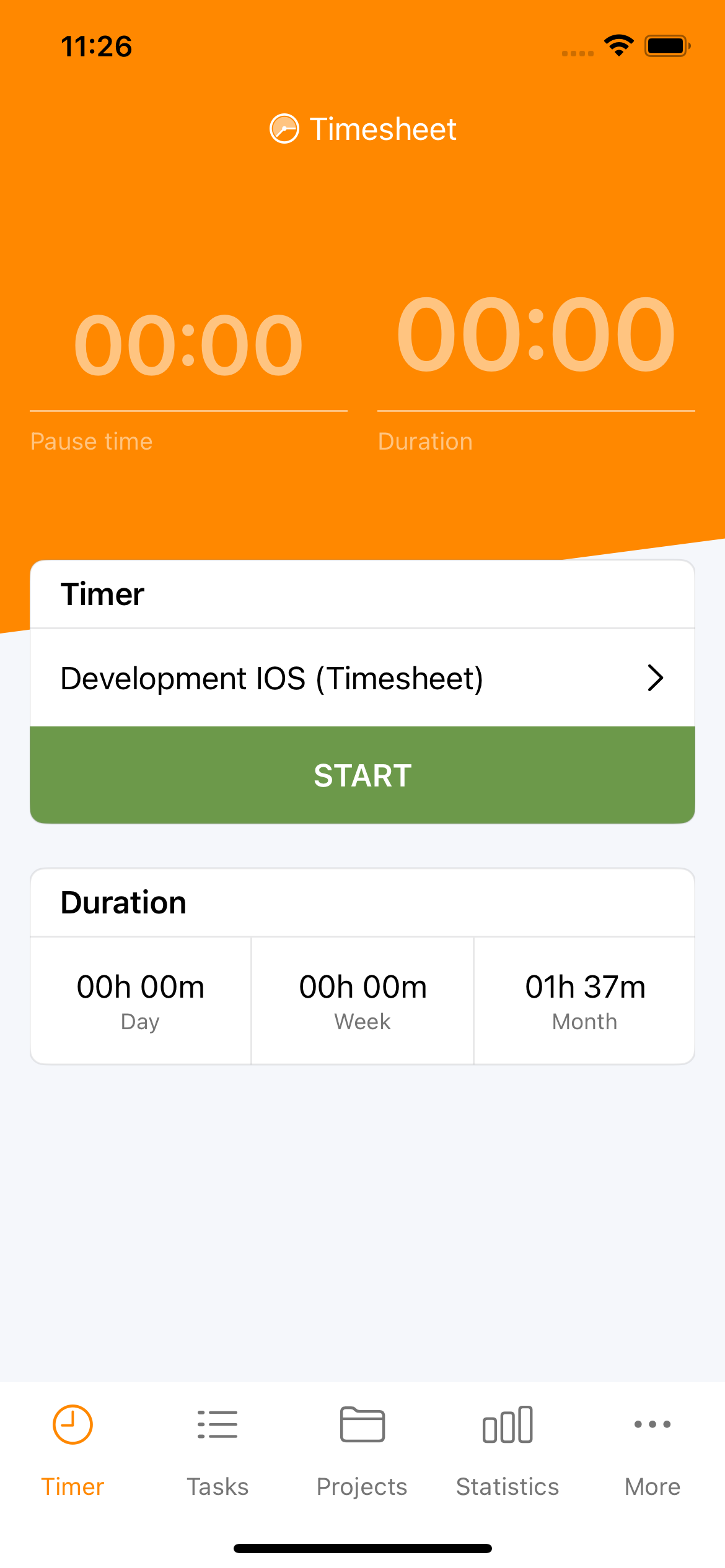
The Timesheet iOS app brings powerful time tracking to your iPhone and iPad. Track work hours, manage projects, and analyze productivity — all with a native Apple experience that works seamlessly online or offline.
Key Features
Time Tracking
- One-tap timer - Start and stop with a single tap
- Background tracking - Timer runs even when app is closed
- Manual entry - Log time after the fact
- Break tracking - Pause for lunch or interruptions
- Task templates - Quick-start common work types
- Forgotten Timer reminders - Notification if a timer runs unusually long
Organization
- Unlimited projects - Organize work by client or category
- Color coding - Visual identification at a glance
- Tags - Categorize across projects
- ToDos - Plan upcoming work with optional due dates and estimates
- Flexible filtering - Find entries quickly
Analytics
- Real-time statistics - Day, week, month totals
- Interactive charts - Visualize time distribution
- Earnings tracking - Monitor project revenue
- Period comparison - Track trends over time
- HR compliance warnings - Offline alerts when approaching target / legal max / break
HR (Business plan)
- Balances - Remaining leave days and overtime hours at a glance
- Absences - Request, document, and cancel time off from your phone
- Compliance warnings - Live target / legal max / break alerts on the Timer
iPad
- Cockpit layout - Multi-card workspace with a customisable inspector panel
- Sidebar tab bar - The tab bar moves to a sidebar when the app has enough room
- Two-column lists - Tasks, Projects, Tags, Rates, Templates, Automations, ToDos open list + detail side by side
Data
- iCloud Drive backup - One-tap, with the last 10 copies kept automatically
- Encrypted backups - Optional passphrase-protected backups; only you can read them
- Safe restore - Restoring is all-or-nothing, with an automatic snapshot to undo with
Integrations
- Apple Watch - Control timer from your wrist
- Widgets - Home Screen and Lock Screen access
- Live Activities - Dynamic Island and Lock Screen timer (action buttons toggleable)
- Home Screen Quick Actions - Long-press app icon
- Siri & Shortcuts - Voice control and automation
- Location automation - Geofence-based tracking
Offline First
The app works without an internet connection:
- Track time anywhere, anytime
- Full functionality offline
- Automatic sync when connected
- No data loss guaranteed
Work Anywhere
Perfect for field work, travel, or areas with poor connectivity. Your time is always tracked accurately.
Quick Links
Getting Started
- Download and Setup - Install and create your account
- Timer - Learn the timer interface
- Projects - Organize your work
Core Features
- Tasks - Manage time entries
- ToDos - Plan upcoming work
- Tags and Rates - Categorize and price work
- Breaks, Expenses and Notes - Additional tracking
- Statistics - Analyze your data
Advanced Features
- Task Templates - Quick-start common tasks
- Automation - Location-based tracking
- Export - Share your data
- Backup & Restore - iCloud Drive backup with optional encryption
- Documents - View invoices, timesheets, and work records created in the Web App (Pro)
HR Compliance (Business plan)
- HR Warnings - Offline target / legal max / break warnings
- Balances - Remaining leave days and overtime balance
- Absences - Request and document time off
- Web → Contracts - Set up your contract (web)
- Web → Overtime - Balances and holiday-adjusted targets
iPad
- iPad Cockpit - Multi-card workspace with customisable inspector
Extensions
- Widgets - Home Screen access
- Live Activity - Lock Screen and Dynamic Island
- Forgotten Timer - Reminder notification
- Apple Watch - Track from your wrist
- Siri & Shortcuts - Voice control
Configuration
System Requirements
| Requirement | Minimum |
|---|---|
| System | iOS or iPadOS 16.6 |
| Device | iPhone or iPad |
| Storage | 100–115 MB (varies by device) |
| Account | Basic (free), Plus, Pro, Business, or Enterprise |
Download
Download on the App Store
Subscription Plans
Basic (Free)
- Unlimited time tracking
- Unlimited projects
- Basic statistics
- CSV export
- Local storage
- 1 task template
Plus
- Everything in Basic
- Cloud sync across devices
- Secure note and attachment storage
- Additional task templates
- Advanced task filters (tags, rates, feelings, and more)
- Expense attachments
Pro
- Everything in Plus
- Web app access
- Teams and collaboration
- Advanced analytics and charts
- Excel export
- Unlimited task templates
- Custom PDF invoicing (via Web App)
Start Free
Download and use the app for free. Upgrade to Plus or Pro when you need advanced features or multi-device sync.